Can I Use a Digital Signature on My Canadian Immigration Documents?
Can you e-sign Canadian immigration forms? Learn which IRCC forms accept digital signatures, which still need a handwritten signature, and how to sign online applications.
Key takeaways
- Online applications use a typed signature: For applications in an IRCC secure account, IRCC instructs you to type your name exactly as it appears on your application, rather than print and sign by hand.
- Some forms officially accept e-signatures: IRCC’s instructions for the Use of a Representative form (IMM 5476) accept typed names, DocuSign, Adobe Fill & Sign, and scanned signature images for portal submissions.
- Other documents still demand wet ink: IRCC’s ATIP consent form accepts only original signatures in blue ink, with no electronic signatures.
- Small errors cost time: IRCC returns an unsigned IMM 5476to the applicant because it does not count as a completed form.
- The most common misconception: Applicants assume one rule covers every document. In reality, each IRCC form sets its own signature rule, so you must check the instructions for every form you sign.
You’ll never go wrong with a blue wet signature on a paper document. But as IRCC moves more applications online, the real answer to “Can I sign digitally?” is “It depends on the form.” This guide explains the difference between handwritten and digital signatures, which IRCC documents accept each one, and how to sign a Canadian business visitor visa application correctly. For a real case where the wrong signature stalled a file, read our article on ATIP requests and signature delays.
This article provides general information only and does not constitute legal advice.
What Is the Difference Between a Wet Signature and a Digital Signature?
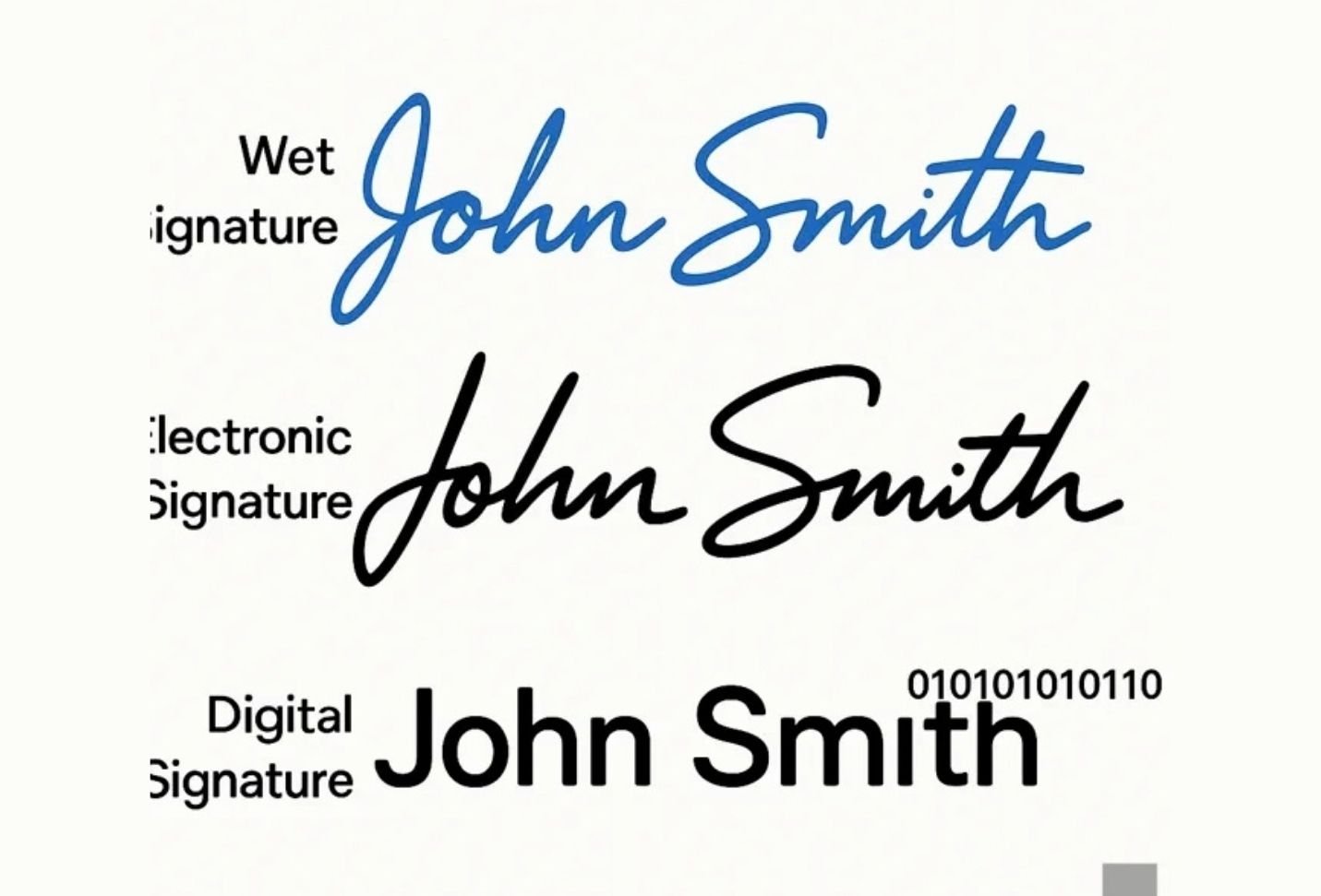
A wet signature is a signature you make by hand with a pen on paper. When you sign a physical form in blue ink, you create a mark that someone can inspect directly, you show that you personally reviewed the document, and you meet traditional legal expectations. Blue ink also makes an original easy to tell apart from a black-and-white photocopy.
A digital or electronic signature covers any way of signing an electronic document. That ranges from typing your name in a box, to drawing your signature with a stylus on a touchscreen, to signing through platforms like DocuSign or Adobe that add certification and security features. Electronic signatures make remote signing fast, which matters when a business applicant and their consultant work in different countries.
Neither option is automatically “better.” What matters is the method the specific IRCC form or process asks for.
Which IRCC Forms Accept Digital Signatures?
More forms accept electronic signatures than many applicants realize, especially when you submit online.
Online applications in your IRCC account. When you apply for a visitor visa online, you sign at the final step by typing your name. IRCC states that you should type your name exactly as it appears on your application form and should not print and sign the forms by hand. Your typed name is your legal signature.
The Use of a Representative form (IMM 5476). If a consultant or lawyer represents you, both of you must sign this form. For portal submissions, IRCC’s IMM 5476 instructions accept:
- A hand signature, printed, signed, and scanned
- An e-signature, including a typed name, Adobe Fill & Sign, DocuSign, a scanned signature image, or a checkbox
- A thumbprint, if the person cannot read or make a mark
The Family Information form (IMM 5645). In my experience, IRCC has accepted touchscreen and stylus signatures on this form. IRCC does not publish a stand-alone signature policy for it, though, so confirm the current instructions or ask your consultant before you rely on that.
When Do I Still Need a Handwritten Blue-Ink Signature?
Some documents still require wet ink, and an electronic signature on these can pause your file:
- ATIP consent forms: The IMM 5744 consent form for releasing your IRCC file accepts only original blue-ink signatures, with no electronic signatures of any kind
- Solemn and statutory declarations: Forms such as the Statutory Declaration of Common-law Union(IMM 5409) must be signed in front of an authorized official who also signs the declaration
- Paper applications: If you submit on paper rather than online, plan to sign every form by hand unless its instructions say otherwise
When a form’s instructions do not mention electronic signatures at all, treat a handwritten signature as the safer choice.
Does Signature Type Affect My Business Visitor Visa Approval?
On its own, the type of signature rarely decides your visa. An incorrect or missing signature, however, can make an application incomplete, and incomplete files get returned or delayed. IRCC returns an unsigned IMM 5476 to the applicant, and an incorrectly signed ATIP consent form stops the request until you send a new one.
Timing matters for business travellers. Based on IRCC data, the 2025 year-to-date visitor visa refusal rate reached51% as of September 30, 2025, so you want officers focused on the strength of your evidence, not on administrative gaps. A clean, correctly signed file shows authenticity and respect for the process.
Signatures also connect to honesty. Your signature on an IRCC declaration confirms that everything in the application is true and complete. Signing without reading carefully can expose you to a misrepresentation finding, which we explain in our article on misrepresentation.
How Do I Sign My Canadian Business Visitor Visa Application Correctly?
Follow this checklist before you submit:
- Read the signature instructions on each IRCC form, since rules differ between forms
- In your online IRCC account, type your name exactly as it appears on your application
- For forms that accept e-signatures, keep the signed file legible and complete
- For ATIP consent forms and declarations, sign by hand in blue ink and date them
- Scan wet-signed originals in colour at high resolution
- Never copy and paste a signature image onto a form that requires an original signature
- Ask your consultant when a form’s instructions seem unclear, because IRCC updates its requirements
FAQs
Does IRCC accept DocuSign signatures?
For some forms, yes. IRCC’s instructions for the Use of a Representative form (IMM 5476) accept DocuSign and Adobe Fill & Sign for portal submissions. Other documents, such as the ATIP consent form, accept only original blue-ink signatures, so check each form’s instructions.
How do I sign my online visitor visa application?
You sign electronically by typing your name in the signature boxes at the end of the application. IRCC states that your name must match your application form exactly, and you should not print and sign the forms by hand.
Can I paste an image of my signature onto an IRCC form?
Only where the form allows it. The IMM 5476 instructions accept scanned signature images for portal submissions, but forms that require an original signature, such as the ATIP consent form, will reject a pasted image and pause your request.
Why does IRCC sometimes require blue ink?
Blue ink makes an original signature easy to tell apart from a black-and-white photocopy. It proves the person signed the document personally, which protects applicants from someone using their name or requesting their personal records without permission.
When in Doubt, Check the Form, Then Reach for a Blue Pen
In immigration, details matter. IRCC increasingly accepts electronic signatures for online applications and some forms, but it still requires handwritten signatures for others, and the rules can change. Read each form’s instructions, sign exactly as asked, and when the instructions say nothing, a blue pen remains your safest choice. If you want a licensed professional to check every form and signature in your Canadian business visitor application before you submit, Newflow Immigration can help.
Book a consultation with a certified RCIC to help with your application →
Disclaimer: This article offers general information and does not constitute legal advice. Reading it does not create a consultant-client relationship. IRCC requirements change frequently, so always confirm current form instructions before you sign.
Related articles

2 ATIP Signature Rules You Must Follow for GCMS Notes
A pasted signature can delay your IRCC ATIP request for weeks. Learn the blue-ink rule, who can request GCMS notes, timelines, and how officer notes work.

Missed Your 30-Day Biometrics Deadline? Here’s What Happens
Missing IRCC’s 30-day biometrics deadline can derail a Canadian business visa. Learn the rules, travel options, and key steps to avoid costly delays.

12 Digital Photo Mistakes That Will Delay Your Canadian Business Visitor Visa
A non-compliant photo can stall your Canadian business visitor visa. Learn IRCC’s exact photo specifications and the 12 mistakes that trigger requests for new photos.